HAkrathon 2026 · UA College of Business · Fri, Nov 6

One portal for the whole hackathon day.

Teams chat, write and run code together, link their GitHub repo and turn in their package. Mentors work a help queue. Judges score every project on the 100-point rubric. Everything updates live, and it locks itself at the 4:30 build freeze.
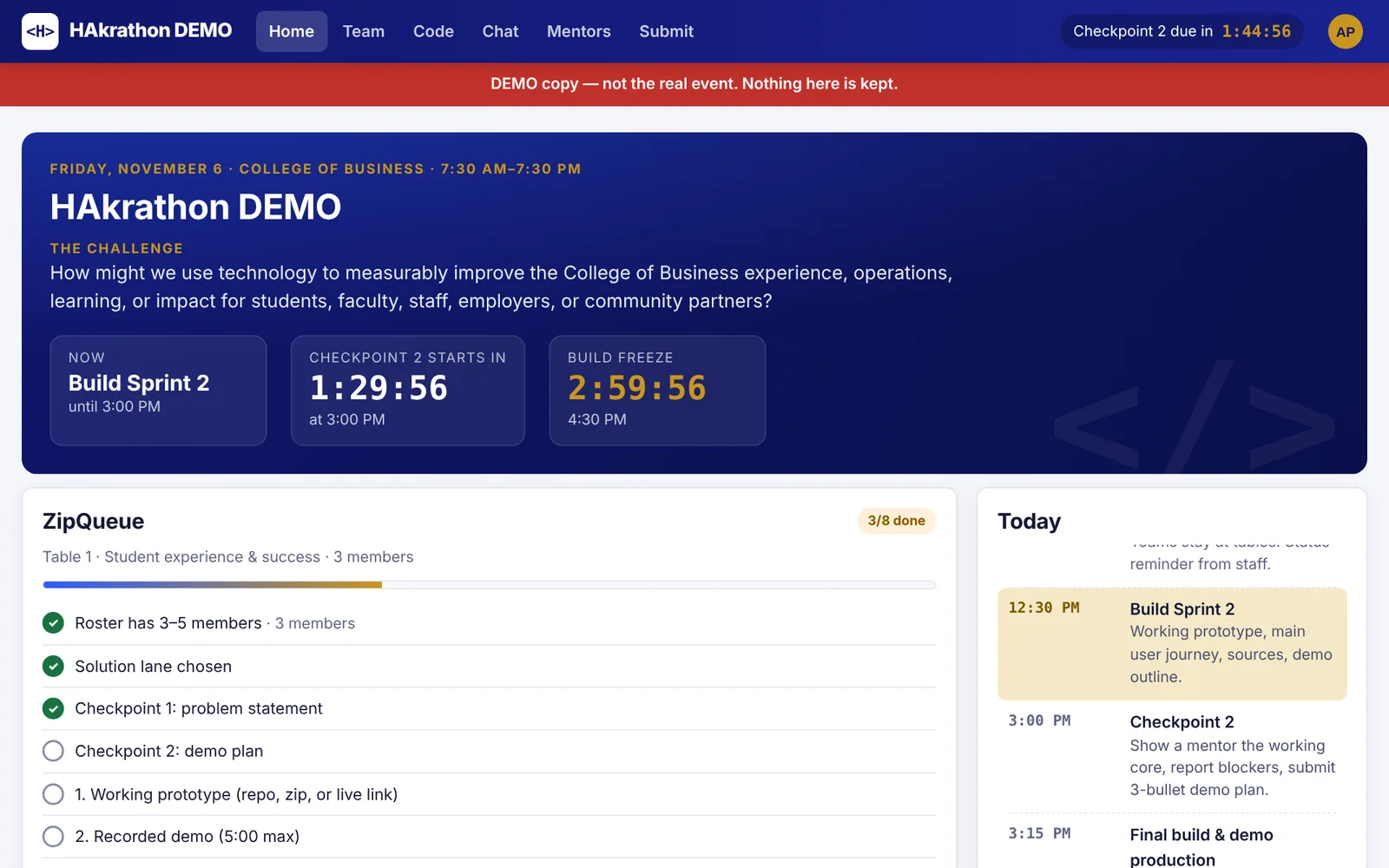
Student home screen: event countdown, current phase Build Sprint 2, and the team's progress checklist
4 rolesStudents, mentors, judges and event staff, each with their own screens
10 sCode runs in a locked-down sandbox: no internet, read-only, memory capped
161 / 161Checks pass in a full simulated event day, start to awards
50 usersLoad-tested for 10 minutes: 0 errors, 0 dropped connections
7:30 AM – 4:30 PM

Build together

Every team gets a home screen with the live schedule and a checklist of what judges need, a shared code editor, and a private team chat.

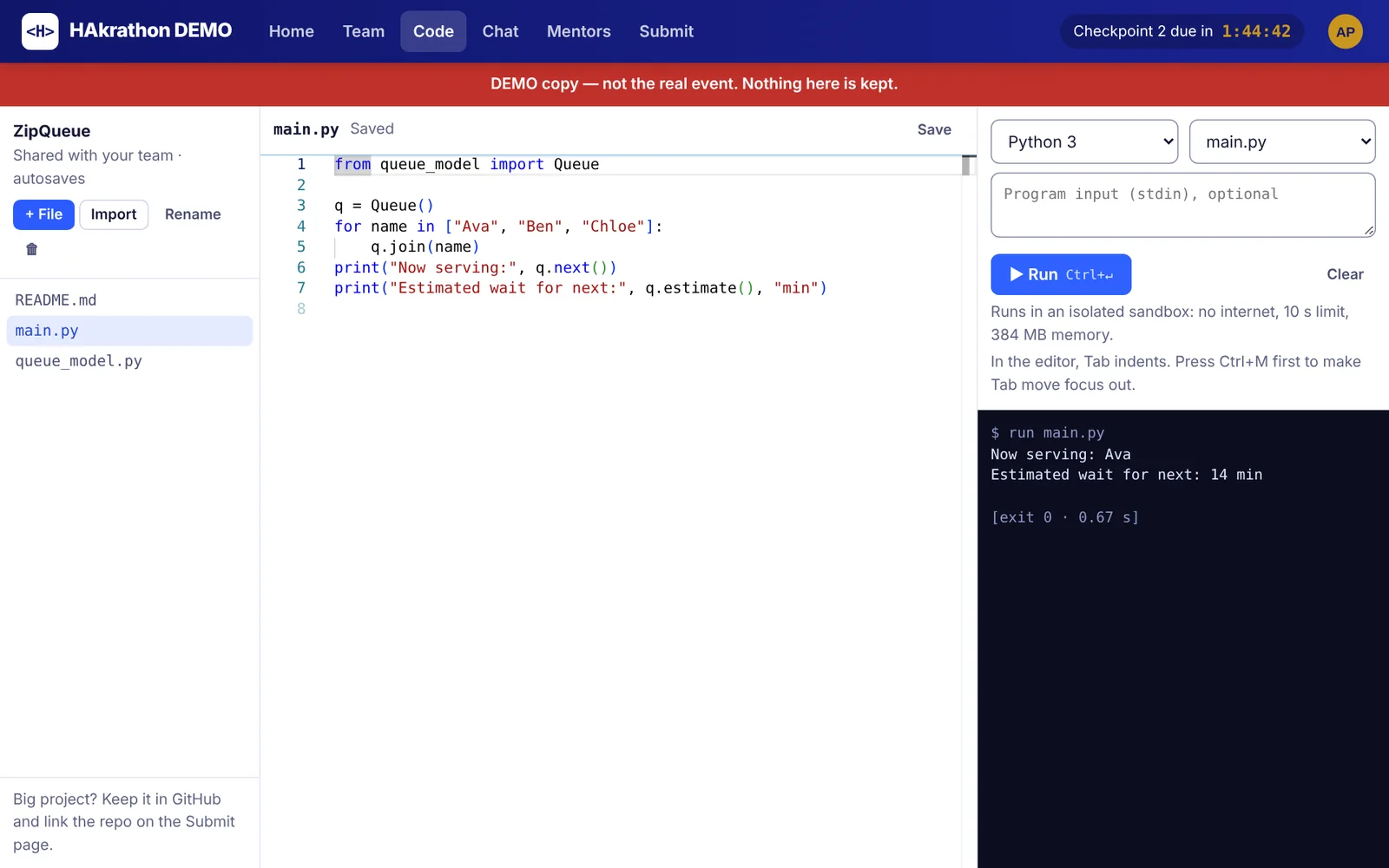
Shared code editor with a Python file and the output of a run
Shared editor. Files autosave for the whole team. Run Python, JavaScript, C, C++, Java or Bash right in the browser.
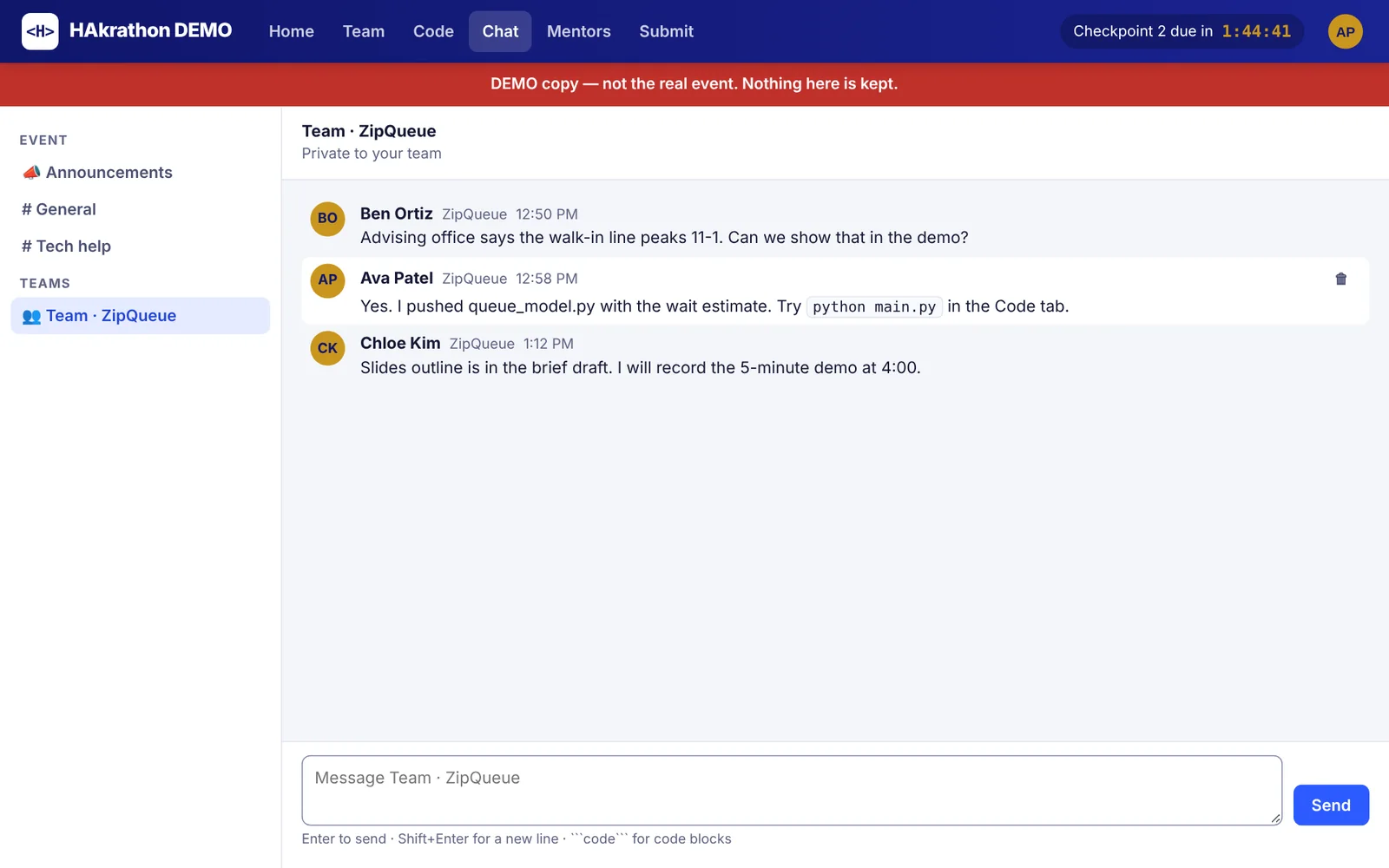
Team chat with three messages
Chat. Announcements, general and tech-help channels, plus a private channel per team. Code blocks are highlighted.
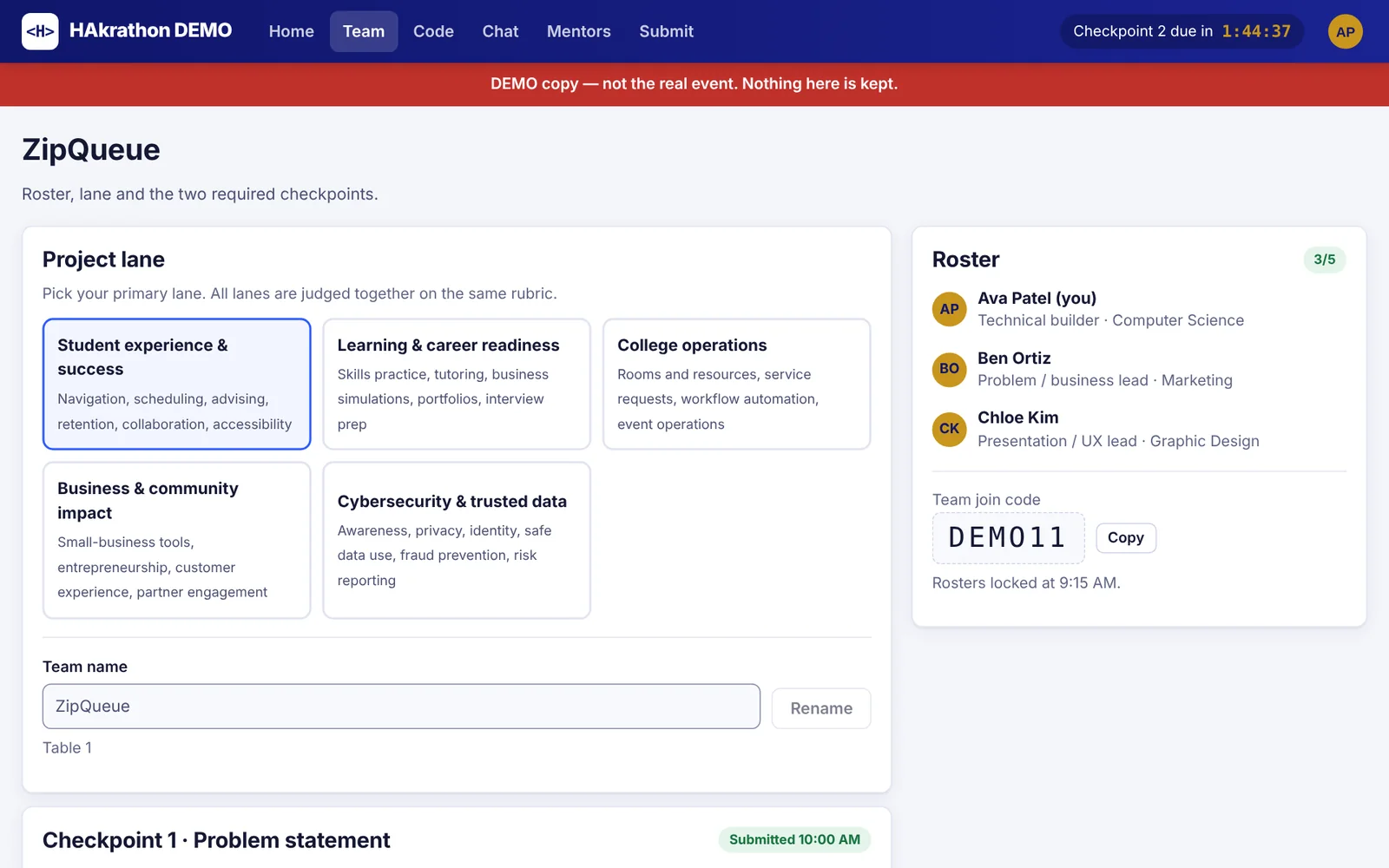
Team page with roster, roles and solution lane
Teams. Create or join with a code, assign roles, pick a solution lane, turn in Checkpoints 1 and 2.
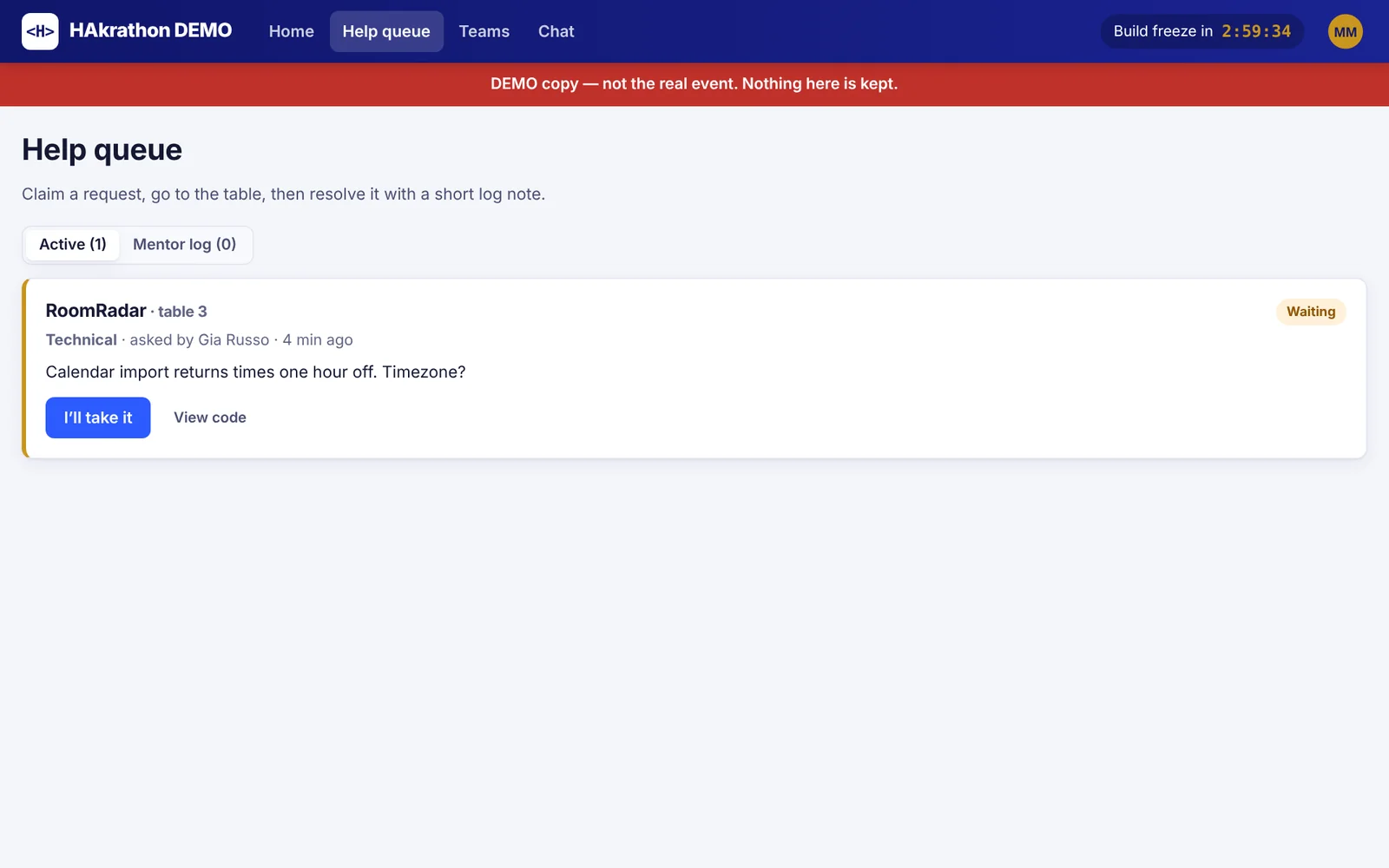
Mentor help queue with one waiting request
Mentor help queue. Teams ask for help; a mentor claims it, walks to the table, and closes it with a short note.
4:20 PM

Submit before the freeze

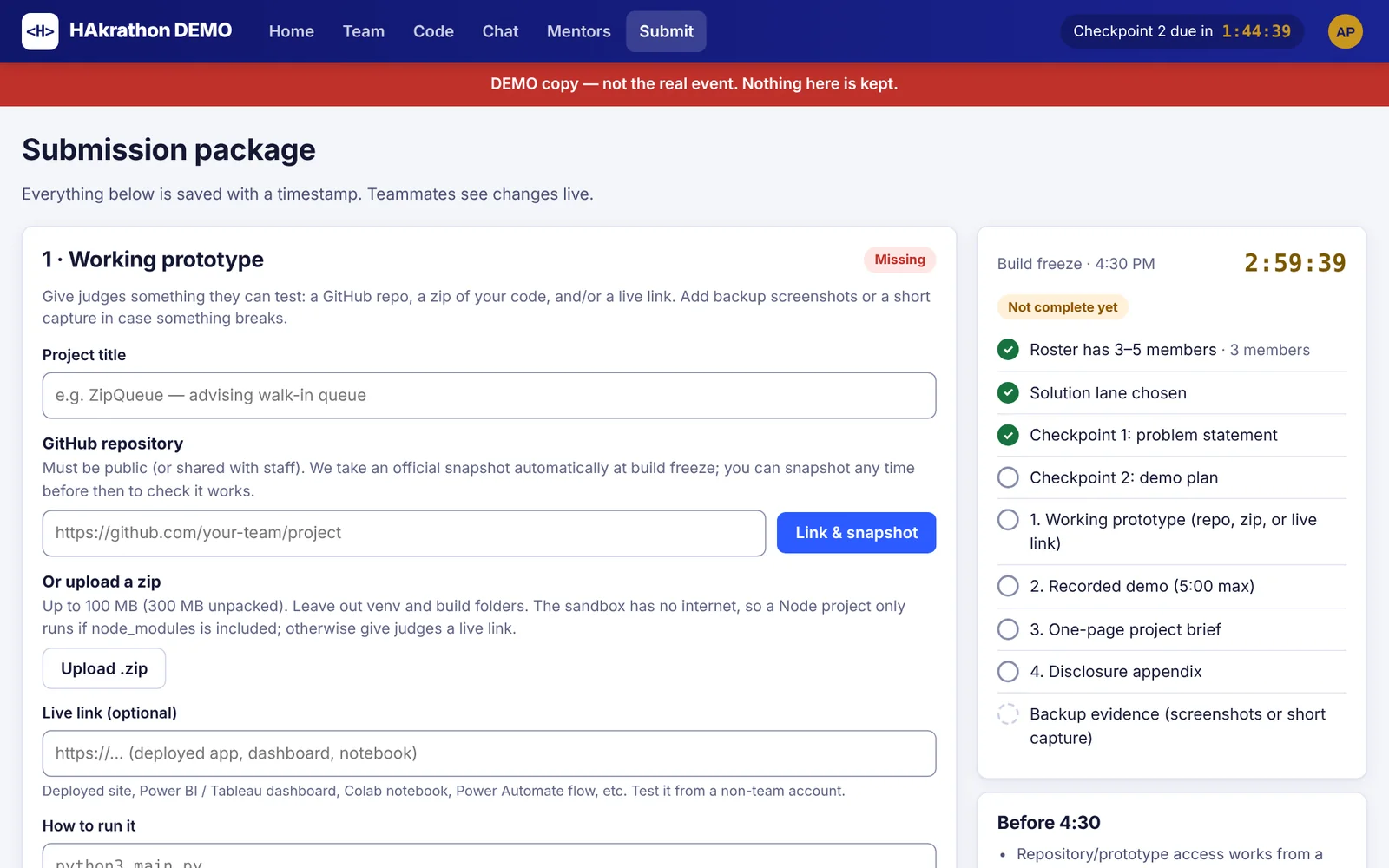
The package page shows exactly what is missing. Teams link a GitHub repo, upload a zip, or add a live link, plus a 5-minute demo video, a one-page brief and disclosures. At 4:30 everything locks, and the portal takes the official copy of each repo as it stood at the freeze.

Submission package page with GitHub repository field and a checklist with the freeze countdown
Submission package. Checklist and countdown on the right; teammates see each change live.
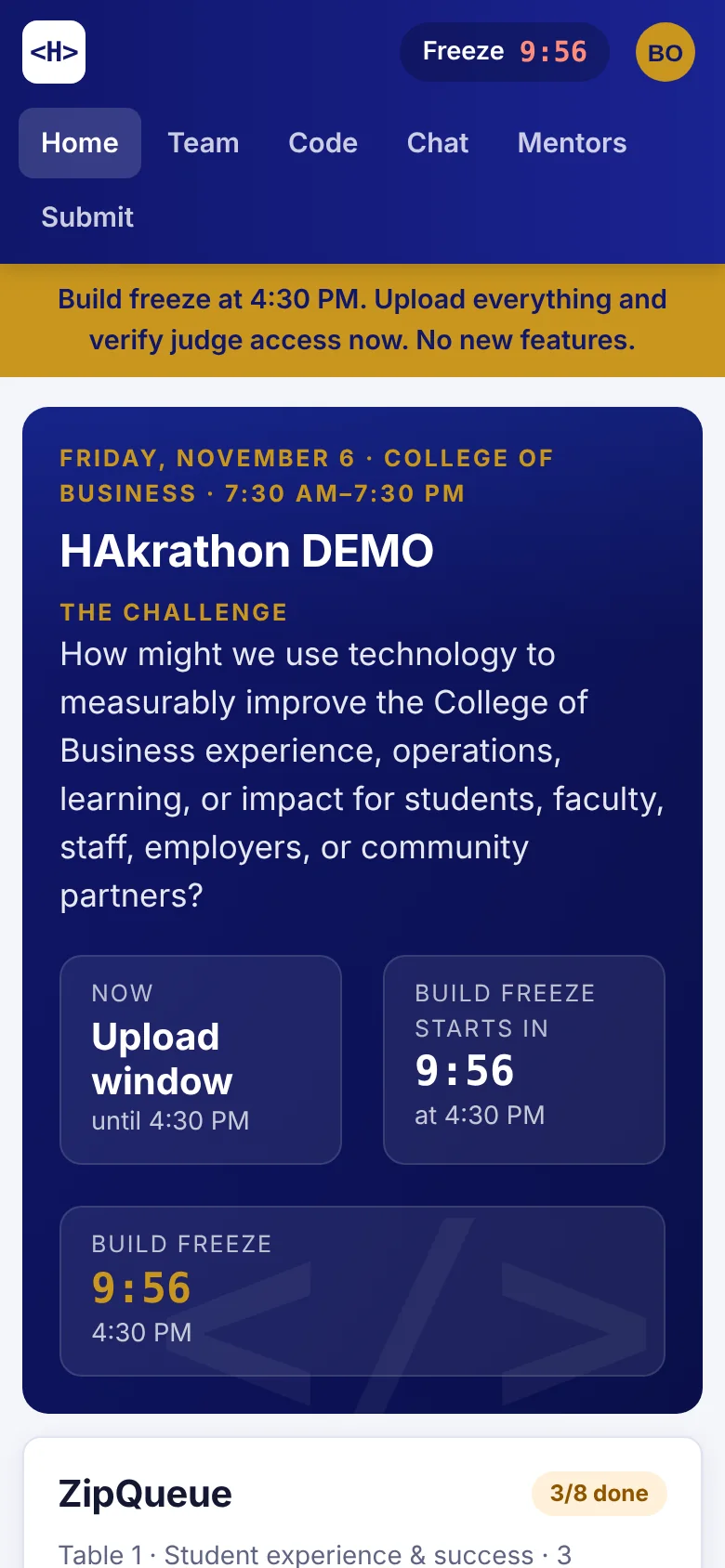
Phone view of the student home ten minutes before the freeze, with a yellow warning banner
On a phone. Ten minutes out, every screen shows the freeze warning.
5:00 PM

Judge on the rubric

Judges see every team's package, browse and run the code, watch the video, and score each criterion 1 to 10. Conflicts of interest are declared, not hidden.

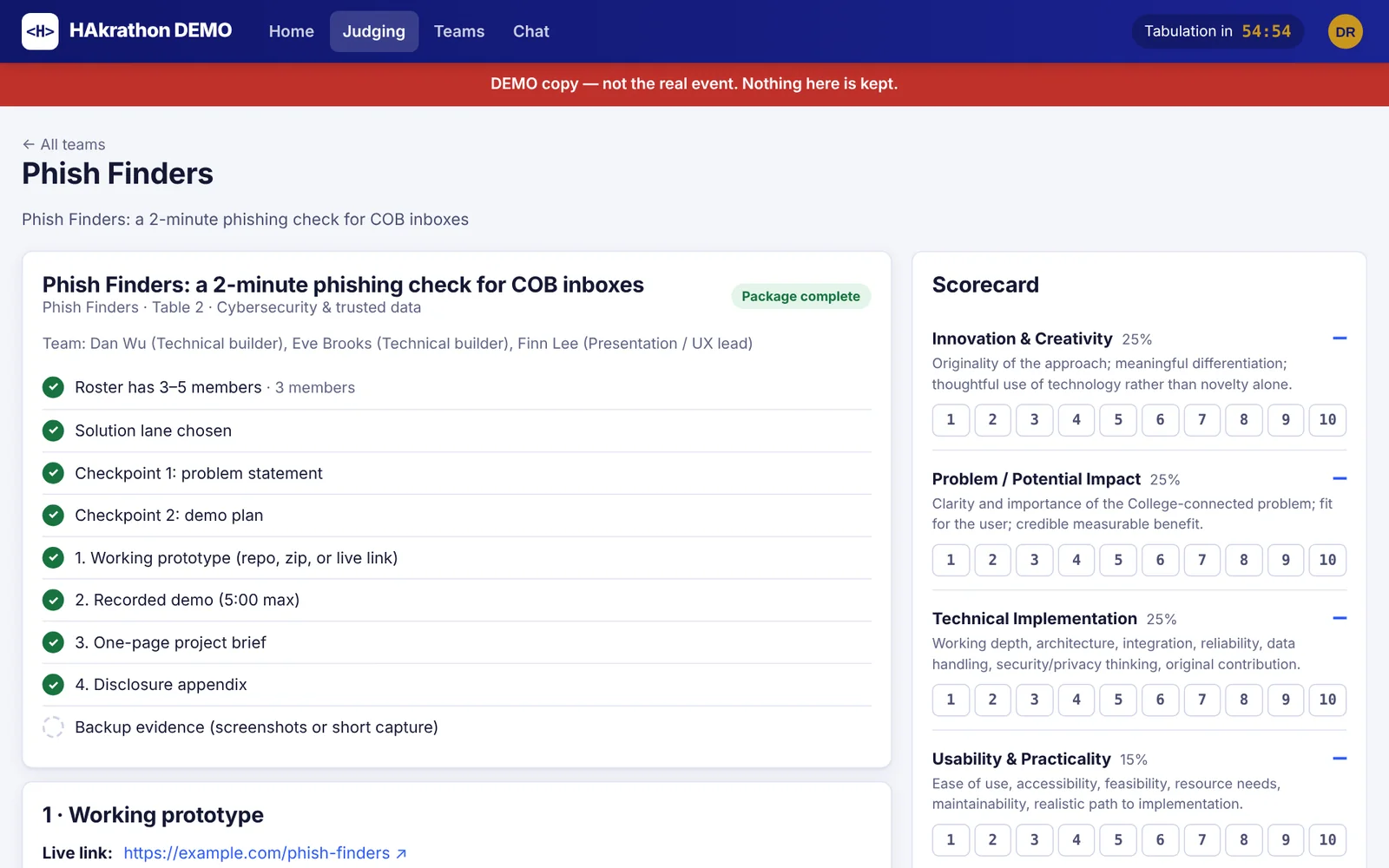
Judge scorecard next to the team's submission checklist
Scorecard. Innovation, Impact and Technical at 25% each, Usability 15%, Presentation 10%.
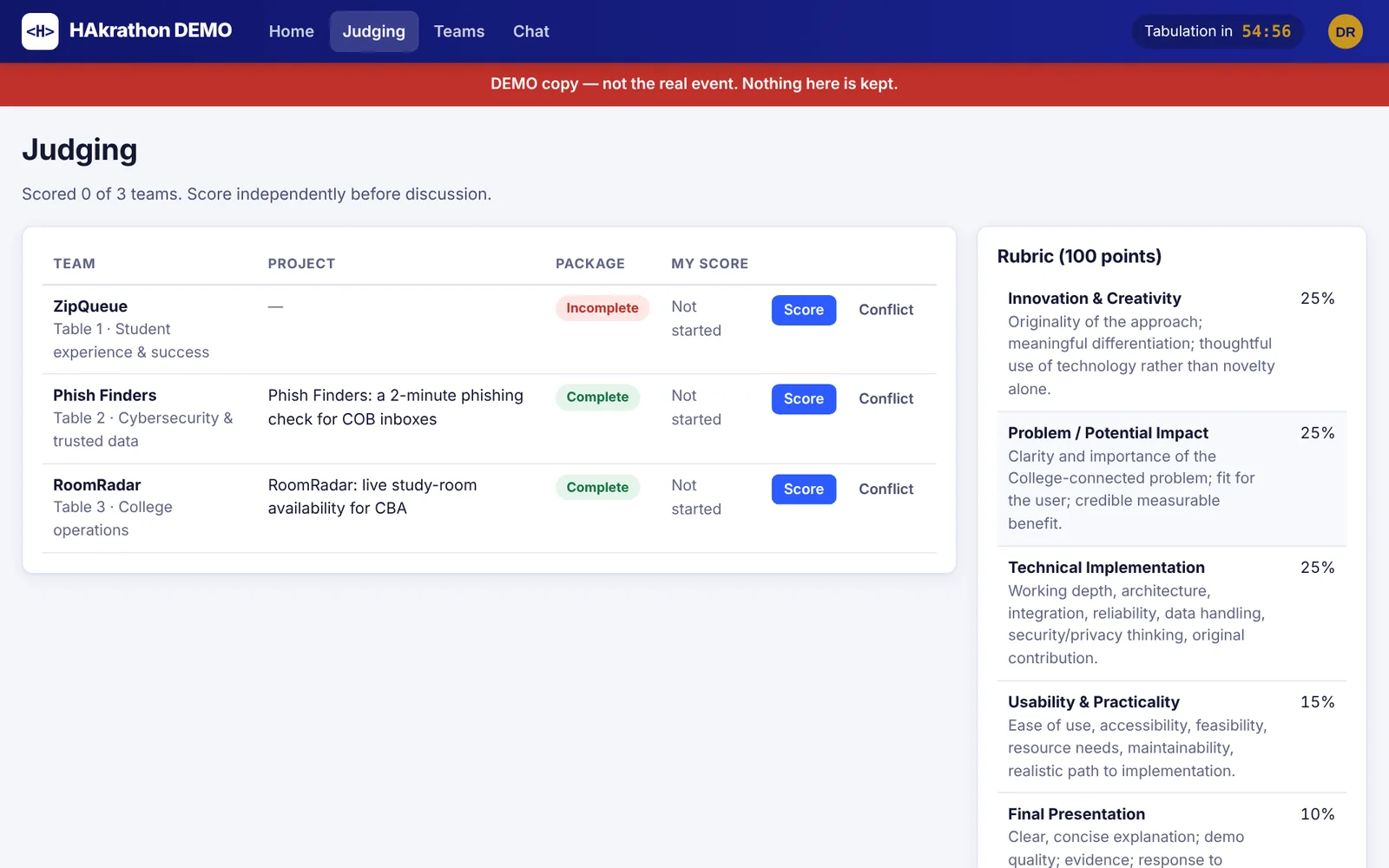
Judging list of teams with package status and the rubric
Team list. Package status at a glance, with the rubric beside it.
6:55 PM

Tabulate and award

Staff see averages per criterion, missing scorecards and tie-break rules in one table, mark finalists, and publish results to every screen at once.

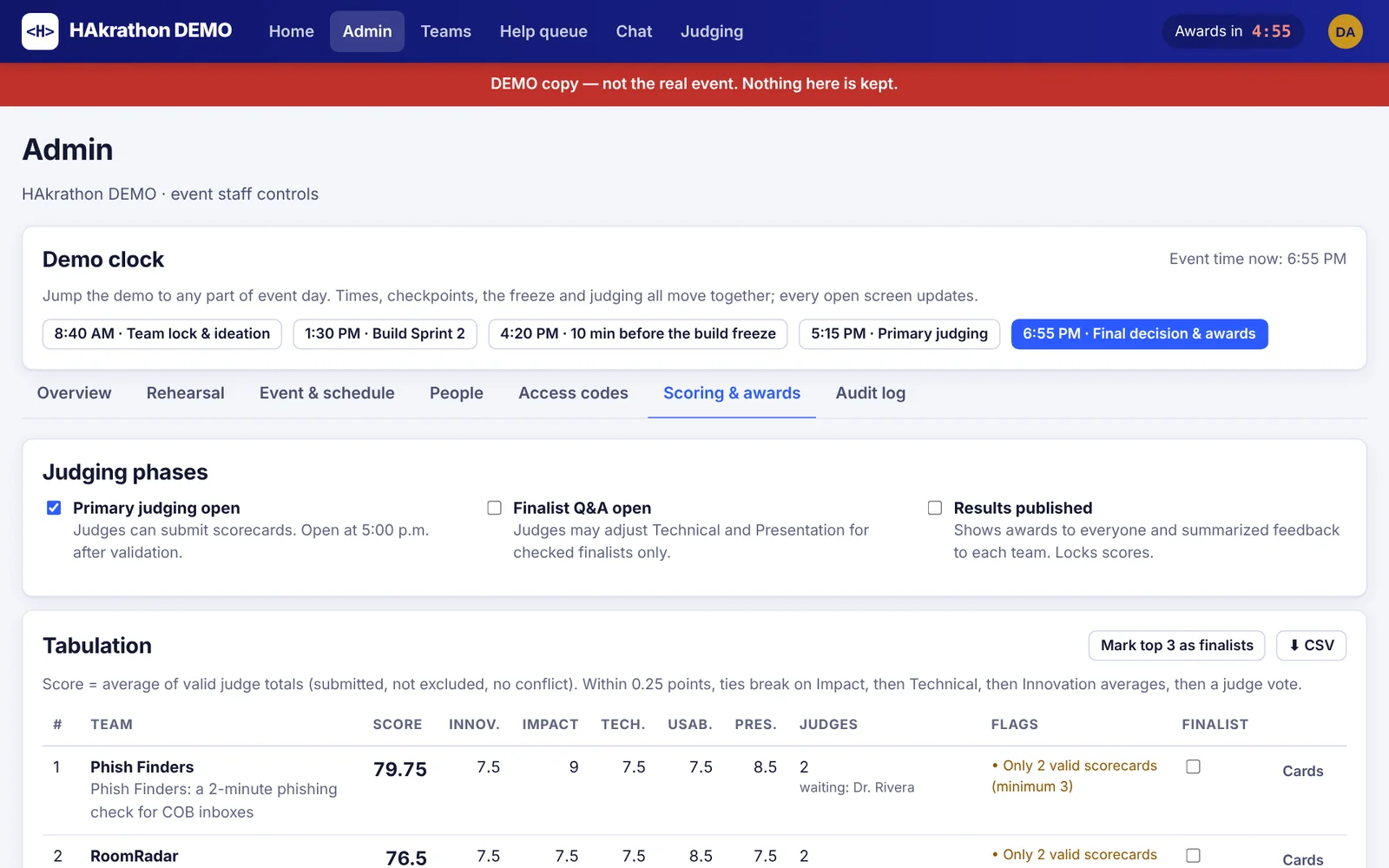
Admin scoring page with judging phases and the tabulation table
Scoring and awards. Ties within 0.25 points break on Impact, then Technical, then Innovation, then a judge vote. Exports to CSV.

Who uses it

Students

Team, code editor, chat, mentor requests, checkpoints and the final package.

Mentors

Help queue and a read-only view of any team's code.

Judges

Packages, repos, videos and the scorecard; finalist Q&A adjustments.

Event staff

Access codes, schedule, announcements, freeze extensions, tabulation, results, backups and an audit log.

How it's built

It runs on one laptop at the event. Students connect over the venue Wi-Fi, or through a secure tunnel if the network blocks it. Nothing depends on an outside service on the day.

Node.jsExpressSocket.IOSQLiteDocker sandboxMonaco editorPlain JavaScript
  • Sandboxed code runsEvery run gets a throwaway container: no network, read-only system, 384 MB memory, process limit, 10-second cap.
  • Fair freezeRecords which commit GitHub had at 4:30, so pushes made later with back-dated times don't count.
  • Invite-only sign-upPersonal access codes tied to each student's university email; single-use codes for judges and mentors.
  • Built for a bad-Wi-Fi dayLive updates catch up after a dropped connection, and an offline judging package is one click away.